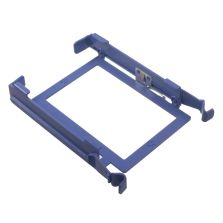
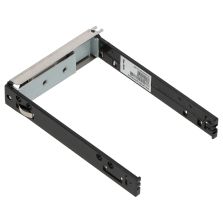
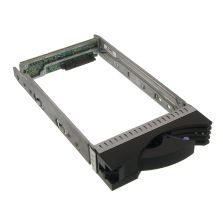
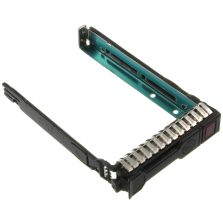
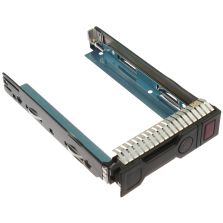
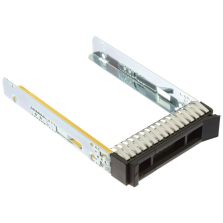
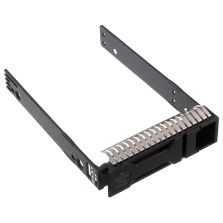
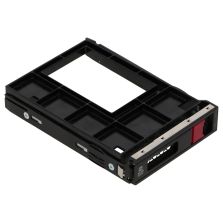
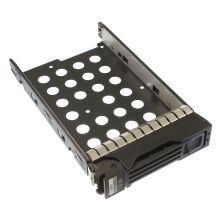
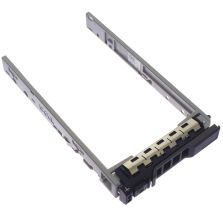
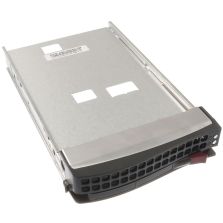
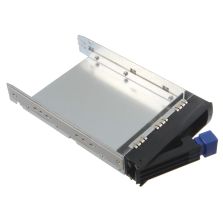
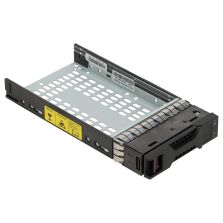
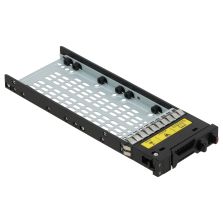
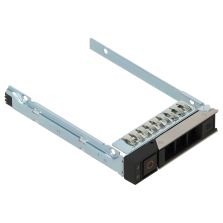
Rack, chassis and mounting hardware
Hard Drive Trays for business IT infrastructure
Hard Drive Trays covers chassis, rack, rail, tray and enclosure parts that keep server systems serviceable, organized and ready for professional deployment.
This category supports physical infrastructure planning. It helps buyers compare Hard Drive Trays, rack rails, server chassis parts, trays, fillers, cages, panels, cabinets and mounting hardware that keep systems organized and serviceable.
Hard Drive Traysrack railshot-plug trayenclosurecabinetmounting
Rack organization
Keep enterprise systems mounted, protected and easy to service.
Physical fit
Check generation, bay count, rail type, tray format and chassis compatibility.
Maintenance
Replace missing panels, trays, fillers, cages, rails and mounting hardware.
Useful buying guide for Hard Drive Trays
The table below gives buyers a quick way to compare the category by practical procurement value, not only by product name. This helps teams avoid wrong hardware, missing accessories and slow replacement decisions.
| Buying area | What to compare | Business value |
|---|
| Main buying goal | Select Hard Drive Trays according to model, generation, condition and technical requirement. | This keeps procurement focused on hardware that can actually fit the project. |
| Compatibility | Rack unit, bay format, chassis depth and mounting type | Compatibility protects budget, time and infrastructure reliability. |
| Performance value | Compare available supplier-backed options before deciding on the final Hard Drive Trays offer. | A quote-based catalogue helps find strong pricing without forcing a blind checkout. |
| Business use | Use for server rooms, data centers, IT maintenance, workstation upgrades and replacement planning. | The category is built for practical business hardware sourcing, not random consumer shopping. |
Compatibility checklist
Before choosing Hard Drive Trays, check the technical details that usually decide whether the hardware will work correctly in a real server, workstation, rack or storage environment.
| Compatibility point | What to verify | Why it helps |
|---|
| Physical size | Rack unit, bay format, chassis depth and mounting type | Confirm this detail before requesting a quote to reduce the risk of wrong parts. |
| System generation | Compatible server, workstation or cabinet family | Confirm this detail before requesting a quote to reduce the risk of wrong parts. |
| Service parts | Rails, trays, blanks, cages, panels and airflow fillers | Confirm this detail before requesting a quote to reduce the risk of wrong parts. |
| Deployment | Rack compatibility, access direction and service clearance | Confirm this detail before requesting a quote to reduce the risk of wrong parts. |
Why buyers use Outlet City Tech
Outlet City Tech helps companies find the small but important enterprise parts that keep infrastructure complete, serviceable and ready for work at a strong quote-based price. The catalogue is useful for companies that want server parts, workstation components, data center equipment and professional IT hardware with clear selection logic. Instead of wasting time on uncertain listings, buyers can prepare the right request and receive the best matching offer for available hardware.
Common questions
What chassis details matter?
Check rack size, server generation, bay format, tray type, rail compatibility, airflow parts and mounting depth.
Are trays, fillers and rails important?
Yes. Small chassis parts improve serviceability, airflow and safe installation in production racks.
Hard Drive Trays is a practical category for buyers searching for server chassis, rackmount chassis, blade chassis, server cabinet accessories, enterprise enclosure parts. Use it to compare hardware direction, prepare part numbers or model details and request a strong supplier-backed offer for your infrastructure project.